Solar Return Chart Endpoint #
POST /api/v5/chart/solar-return #
This endpoint generates a Solar Return chart, one of the most important timing techniques in predictive astrology. A Solar Return occurs annually when the transiting Sun returns to the exact degree, minute, and second of your natal Sun position — essentially, it’s your true “astrological birthday.”
Chart Preview #
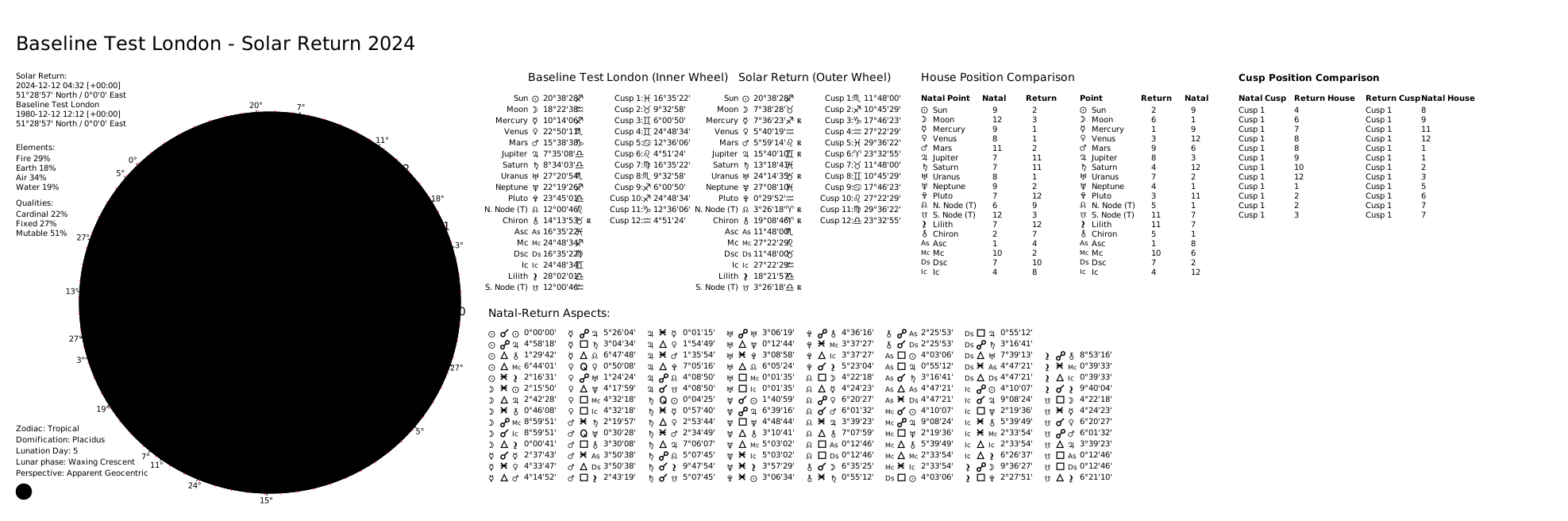
The Solar Return chart is valid for one full year (from one birthday to the next) and outlines the major themes, opportunities, and challenges you’ll encounter during that solar year.
Chart Options:
- Dual Wheel (default): Shows natal chart (inner) and solar return (outer) for comparison
- Single Wheel: Shows only the solar return chart
Relocation Feature:
The chart can be calculated for different locations using return_location, which is significant because the location determines the Ascendant and house cusps. Many astrologers relocate for their birthday to improve their Solar Return chart.
Use cases:
- Annual Forecasting: Preview the year ahead from birthday to birthday
- Birthday Planning: Choose where to spend your birthday for optimal chart positioning
- Life Planning: Understand which life areas will be emphasized this year
- Professional Consultations: Essential for any predictive astrology reading
Request Body #
subject(object, required): Natal subject. See Subject Object Reference.{ "name": "John Doe", "year": 1990, "month": 1, "day": 1, "hour": 12, "minute": 0, "city": "London", "nation": "GB", "longitude": -0.1278, "latitude": 51.5074, "timezone": "Europe/London" }
Search parameters (provide year or iso_datetime):
year(integer, required unlessiso_datetimeis set): Calendar year to search for the next return (1-3000).month(integer, optional): Month (1-12) to start the search from. Requiresyear.day(integer, optional): Day (1-31) to start the search from. Defaults to1. Requiresmonthandyear.iso_datetime(string, optional): ISO 8601 formatted datetime to start the search from. E.g."2025-05-01T00:00:00+00:00". Alternative toyear/month/day.
Return-specific options (optional):
-
wheel_type(string):"dual"(default) or"single". Single wheel shows only the return chart. -
include_house_comparison(boolean): Include house overlay comparison for dual wheel. Default:true. Automatically set tofalsewhenwheel_typeis"single". -
return_location(object, optional): Override the location for the return chart. If omitted, the natal subject’s location is used.Field Type Description citystring Target city name. Falls back to natal city if omitted. nationstring Two-letter ISO country code. Falls back to natal nation if omitted. longitudefloat Longitude (-180 to 180). latitudefloat Latitude (-90 to 90). timezonestring IANA timezone identifier. altitudefloat Altitude in meters. geonames_usernamestring GeoNames username to resolve location from city/nation. Provide all three of
latitude,longitude, andtimezonefor offline mode, or usegeonames_usernamefor online resolution.
Computation options (optional):
active_points(array of strings): Override which celestial points are included. See Active Points.active_aspects(array of objects): Override which aspects are calculated and their orbs. See Active Aspects.distribution_method(string):"weighted"(default) or"pure_count".custom_distribution_weights(object): Custom weights map for weighted distribution.
Rendering options (optional):
theme(string): Visual theme. Default:"classic". See Themes.language(string): Language for chart labels. Default:"EN". See Languages.style(string):"classic"(default) or"modern".split_chart(boolean): Return separatechart_wheelandchart_gridSVGs. Default:false.transparent_background(boolean): Render with transparent background. Default:false.custom_title(string): Override the chart title (max 40 characters).show_house_position_comparison(boolean): Show the house comparison table. Default:true.show_cusp_position_comparison(boolean): Show cusp comparison table (dual wheel only). Default:true.show_degree_indicators(boolean): Show radial lines and degree numbers. Default:true.show_aspect_icons(boolean): Show aspect icons on aspect lines. Default:true.show_zodiac_background_ring(boolean): Show colored zodiac wedges ("modern"style only). Default:true.double_chart_aspect_grid_type(string): Aspect display layout —"list"(default) or"table".
Complete Request Example #
{
    "subject": {
        "name": "John Doe",
        "year": 1990,
        "month": 1,
        "day": 1,
        "hour": 12,
        "minute": 0,
        "city": "London",
        "nation": "GB",
        "longitude": -0.1278,
        "latitude": 51.5074,
        "timezone": "Europe/London"
    },
    "year": 2024,
    "month": 10,
    "day": 1,
    "wheel_type": "dual",
    "return_location": {
        "city": "New York",
        "nation": "US",
        "longitude": -74.006,
        "latitude": 40.7128,
        "timezone": "America/New_York"
    },
    "theme": "dark",
    "style": "modern",
    "show_zodiac_background_ring": true,
    "double_chart_aspect_grid_type": "list"
}
Response Body #
status(string):"OK".return_type(string):"Solar".wheel_type(string):"dual"or"single".chart_data(object): Return chart data (same structure as the Solar Return Data endpoint).chart(string): SVG string (whensplit_chartisfalse).chart_wheel(string): SVG of the wheel (whensplit_chartistrue).chart_grid(string): SVG of the aspect grid (whensplit_chartistrue).
Complete Response Example #
{
  "status": "OK",
  "return_type": "Solar",
  "wheel_type": "dual",
  "chart_data": { ... },
  "chart": "<svg ...> ... </svg>"
}