Natal Chart Endpoint #
POST /api/v5/chart/birth-chart #
This endpoint generates a visual birth chart (natal chart) as an SVG image, along with the complete calculated astrological data. A birth chart is a snapshot of the sky at the exact moment and location of a person’s birth, showing the positions of planets, houses, and astrological points.
Chart Preview #
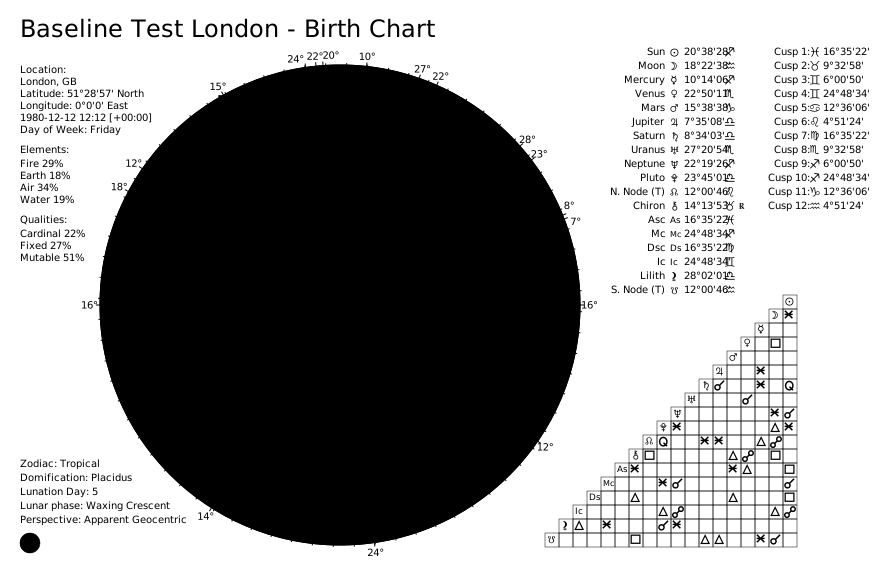
The returned SVG is a professional-quality chart wheel that can be:
- Embedded directly in web pages or mobile apps
- Downloaded and printed
- Customized with themes (classic, dark, dark-high-contrast, light, strawberry, black-and-white)
- Split into separate wheel and aspect grid components
Use cases:
- Generating personalized birth charts for users
- Creating printable chart reports
- Building astrology reading applications
- Visualizing natal placements for interpretation
Request Body #
subject(object, required): The subject’s birth data. See Subject Object Reference for all fields.{ "name": "Alice", "year": 1995, "month": 6, "day": 15, "hour": 14, "minute": 30, "city": "Berlin", "nation": "DE", "longitude": 13.405, "latitude": 52.52, "timezone": "Europe/Berlin" }
Computation options (optional, at request body root level):
active_points(array of strings): Override which celestial points are included. See Active Points.active_aspects(array of objects): Override which aspects are calculated and their orbs. E.g.[{"name": "conjunction", "orb": 10}]. See Active Aspects.distribution_method(string):"weighted"(default) or"pure_count".custom_distribution_weights(object): Custom weights map for weighted distribution.
Rendering options (optional):
theme(string): Visual theme —"classic"(default),"light","dark","dark-high-contrast","strawberry","black-and-white". See Themes.language(string): Language for chart labels —"EN"(default),"FR","PT","IT","CN","ES","RU","TR","DE","HI". See Languages.style(string):"classic"(default, traditional wheel) or"modern"(concentric rings).split_chart(boolean): Iftrue, returns separatechart_wheelandchart_gridSVGs instead of a singlechart. Default:false.transparent_background(boolean): Render with transparent background. Default:false.custom_title(string): Override the chart title (max 40 characters).show_house_position_comparison(boolean): Show the house/points comparison table. Default:true.show_degree_indicators(boolean): Show radial lines and degree numbers for planet positions. Default:true.show_aspect_icons(boolean): Show aspect icons on aspect lines. Default:true.show_zodiac_background_ring(boolean): Show colored zodiac wedges (only affects"modern"style). Default:true.
Complete Request Example #
{
    "subject": {
        "name": "Alice",
        "year": 1995,
        "month": 6,
        "day": 15,
        "hour": 14,
        "minute": 30,
        "city": "Berlin",
        "nation": "DE",
        "longitude": 13.405,
        "latitude": 52.52,
        "timezone": "Europe/Berlin"
    },
    "theme": "dark",
    "language": "EN",
    "style": "modern",
    "show_zodiac_background_ring": true,
    "split_chart": false,
    "transparent_background": true
}
Response Body #
status(string):"OK".chart_data(object): The calculated chart data (same structure as the Natal Chart Data endpoint).chart(string): The full SVG string (whensplit_chartisfalse).chart_wheel(string): SVG of the wheel only (whensplit_chartistrue).chart_grid(string): SVG of the aspect grid only (whensplit_chartistrue).
Complete Response Example #
{
  "status": "OK",
  "chart_data": { ... },
  "chart": "<svg xmlns='http://www.w3.org/2000/svg' ...> ... </svg>"
}