Theming #
Overview #
The theming functionality allows you to customize the look and feel of your astrological charts. You can choose from four unique themes to enhance your charting experience:
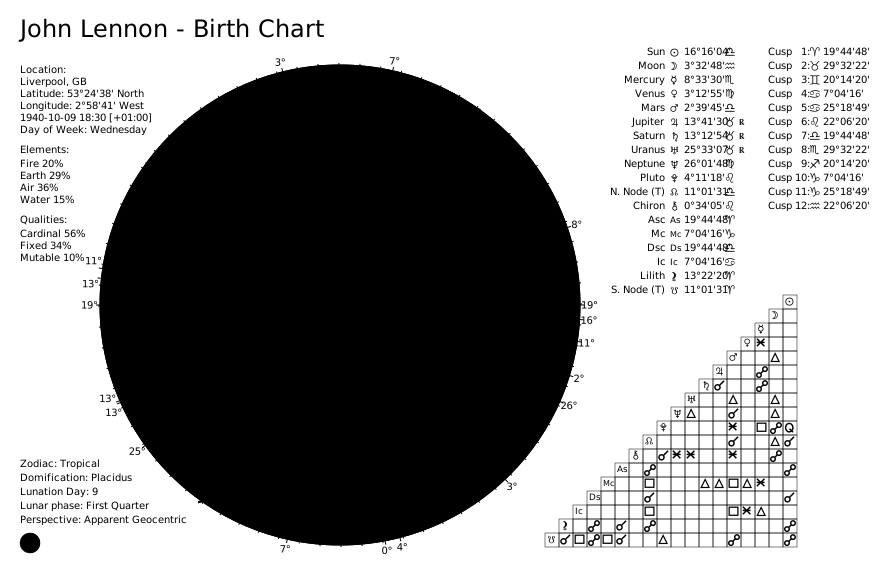
- Classic: The default theme with a classic OpenAstro like color scheme.
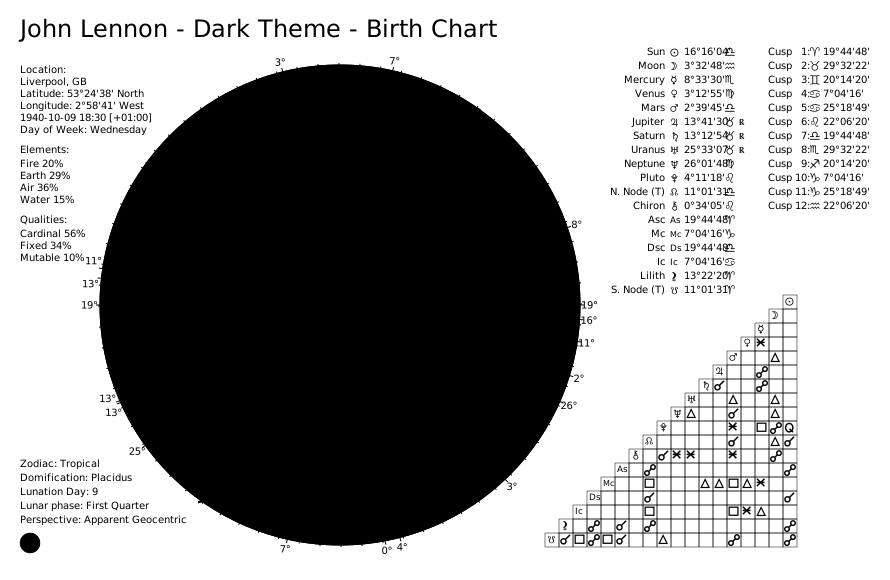
- Dark: A dark theme that is easy on the eyes, especially in low-light environments.
- Dark High Contrast: A dark theme with high contrast for better visibility.
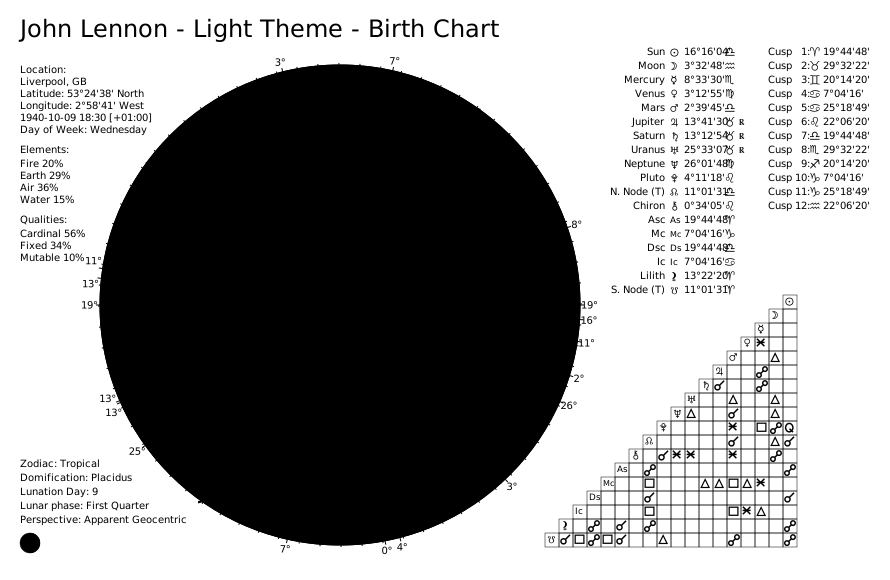
- Light: A light theme with a clean and bright appearance.
How to Use Themes #
Applying a Theme #
To apply a theme to your astrological chart in v5, pass the theme parameter to ChartDrawer. Example with the “Dark” theme:
from pathlib import Path
from kerykeion import AstrologicalSubjectFactory
from kerykeion.chart_data_factory import ChartDataFactory
from kerykeion.charts.chart_drawer import ChartDrawer

subject = AstrologicalSubjectFactory.from_birth_data(
    "John Lennon - Dark Theme", 1940, 10, 9, 18, 30,
    lng=-2.9833, lat=53.4, tz_str="Europe/London", online=False,
)
data = ChartDataFactory.create_natal_chart_data(subject)
chart = ChartDrawer(data, theme="dark")

out_dir = Path("charts_output")
out_dir.mkdir(exist_ok=True)
chart.save_svg(output_path=out_dir)
The theme parameter accepts the following values:
"classic": Classic theme (default)"dark": Dark theme"dark-high-contrast": Dark high-contrast theme"light": Light theme"strawberry": Strawberry theme"black-and-white": Optimized for monochrome printing
If no theme is specified, the Classic theme is applied by default.
Example Usage #
Classic Theme (Default) #
from pathlib import Path
from kerykeion import AstrologicalSubjectFactory
from kerykeion.chart_data_factory import ChartDataFactory
from kerykeion.charts.chart_drawer import ChartDrawer

subject = AstrologicalSubjectFactory.from_birth_data(
    "John Lennon - Classic Theme", 1940, 10, 9, 18, 30,
    lng=-2.9833, lat=53.4, tz_str="Europe/London", online=False,
)
data = ChartDataFactory.create_natal_chart_data(subject)
chart = ChartDrawer(data)  # classic by default

out_dir = Path("charts_output")
out_dir.mkdir(exist_ok=True)
chart.save_svg(output_path=out_dir)
Dark Theme #
from pathlib import Path
from kerykeion import AstrologicalSubjectFactory
from kerykeion.chart_data_factory import ChartDataFactory
from kerykeion.charts.chart_drawer import ChartDrawer

subject = AstrologicalSubjectFactory.from_birth_data(
    "John Lennon - Dark", 1940, 10, 9, 18, 30,
    lng=-2.9833, lat=53.4, tz_str="Europe/London", online=False,
)
data = ChartDataFactory.create_natal_chart_data(subject)
chart = ChartDrawer(data, theme="dark")

out_dir = Path("charts_output")
out_dir.mkdir(exist_ok=True)
chart.save_svg(output_path=out_dir)
Light Theme #
from pathlib import Path
from kerykeion import AstrologicalSubjectFactory
from kerykeion.chart_data_factory import ChartDataFactory
from kerykeion.charts.chart_drawer import ChartDrawer

subject = AstrologicalSubjectFactory.from_birth_data(
    "John Lennon - Light Theme", 1940, 10, 9, 18, 30,
    lng=-2.9833, lat=53.4, tz_str="Europe/London", online=False,
)
data = ChartDataFactory.create_natal_chart_data(subject)
chart = ChartDrawer(data, theme="light")

out_dir = Path("charts_output")
out_dir.mkdir(exist_ok=True)
chart.save_svg(output_path=out_dir)
Overriding Default CSS Variables #
You can choose not to set any theme, which makes it easier to override the default CSS variables.
Use None as the theme parameter to override the default CSS variables. This allows for further customization of the chart’s appearance.
from pathlib import Path
from kerykeion import AstrologicalSubjectFactory
from kerykeion.chart_data_factory import ChartDataFactory
from kerykeion.charts.chart_drawer import ChartDrawer

subject = AstrologicalSubjectFactory.from_birth_data(
    "John Lennon - Custom Theme", 1940, 10, 9, 18, 30,
    lng=-2.9833, lat=53.4, tz_str="Europe/London", online=False,
)
data = ChartDataFactory.create_natal_chart_data(subject)
chart = ChartDrawer(data, theme=None)

out_dir = Path("charts_output")
out_dir.mkdir(exist_ok=True)
chart.save_svg(output_path=out_dir)
Default CSS Variables #
Here are the default CSS variables that you can override:
:root {
    /* Main Colors */
    --kerykeion-chart-color-paper-0: #000000;
    --kerykeion-chart-color-paper-1: #ffffff;
    --kerykeion-chart-color-zodiac-bg-0: #ff7200;
    --kerykeion-chart-color-zodiac-bg-1: #6b3d00;
    --kerykeion-chart-color-zodiac-bg-2: #69acf1;
    --kerykeion-chart-color-zodiac-bg-3: #2b4972;
    --kerykeion-chart-color-zodiac-bg-4: #ff7200;
    --kerykeion-chart-color-zodiac-bg-5: #6b3d00;
    --kerykeion-chart-color-zodiac-bg-6: #69acf1;
    --kerykeion-chart-color-zodiac-bg-7: #2b4972;
    --kerykeion-chart-color-zodiac-bg-8: #ff7200;
    --kerykeion-chart-color-zodiac-bg-9: #6b3d00;
    --kerykeion-chart-color-zodiac-bg-10: #69acf1;
    --kerykeion-chart-color-zodiac-bg-11: #2b4972;
    --kerykeion-chart-color-zodiac-icon-0: #ff7200;
    --kerykeion-chart-color-zodiac-icon-1: #6b3d00;
    --kerykeion-chart-color-zodiac-icon-2: #69acf1;
    --kerykeion-chart-color-zodiac-icon-3: #2b4972;
    --kerykeion-chart-color-zodiac-icon-4: #ff7200;
    --kerykeion-chart-color-zodiac-icon-5: #6b3d00;
    --kerykeion-chart-color-zodiac-icon-6: #69acf1;
    --kerykeion-chart-color-zodiac-icon-7: #2b4972;
    --kerykeion-chart-color-zodiac-icon-8: #ff7200;
    --kerykeion-chart-color-zodiac-icon-9: #6b3d00;
    --kerykeion-chart-color-zodiac-icon-10: #69acf1;
    --kerykeion-chart-color-zodiac-icon-11: #2b4972;
    --kerykeion-chart-color-zodiac-radix-ring-0: #ff0000;
    --kerykeion-chart-color-zodiac-radix-ring-1: #ff0000;
    --kerykeion-chart-color-zodiac-radix-ring-2: #ff0000;
    --kerykeion-chart-color-zodiac-transit-ring-0: #ff0000;
    --kerykeion-chart-color-zodiac-transit-ring-1: #ff0000;
    --kerykeion-chart-color-zodiac-transit-ring-2: #0000ff;
    --kerykeion-chart-color-zodiac-transit-ring-3: #0000ff;
    --kerykeion-chart-color-houses-radix-line: #ff0000;
    --kerykeion-chart-color-houses-transit-line: #0000ff;
    --kerykeion-chart-color-lunar-phase-0: #000000;
    --kerykeion-chart-color-lunar-phase-1: #ffffff;

    /* Aspects */
    --kerykeion-chart-color-conjunction: #5757e2;
    --kerykeion-chart-color-semi-sextile: #810757;
    --kerykeion-chart-color-semi-square: #b14e58;
    --kerykeion-chart-color-sextile: #d59e28;
    --kerykeion-chart-color-quintile: #1f99b3;
    --kerykeion-chart-color-square: #dc0000;
    --kerykeion-chart-color-trine: #36d100;
    --kerykeion-chart-color-sesquiquadrate: #985a10;
    --kerykeion-chart-color-biquintile: #7a9810;
    --kerykeion-chart-color-quincunx: #26bbcf;
    --kerykeion-chart-color-opposition: #510060;

    /* Planets */
    --kerykeion-chart-color-sun: #984b00;
    --kerykeion-chart-color-moon: #150052;
    --kerykeion-chart-color-mercury: #520800;
    --kerykeion-chart-color-venus: #400052;
    --kerykeion-chart-color-mars: #540000;
    --kerykeion-chart-color-jupiter: #47133d;
    --kerykeion-chart-color-saturn: #124500;
    --kerykeion-chart-color-uranus: #6f0766;
    --kerykeion-chart-color-neptune: #06537f;
    --kerykeion-chart-color-pluto: #713f04;
    --kerykeion-chart-color-mean-node: #4c1541;
    --kerykeion-chart-color-true-node: #4c1541;
    --kerykeion-chart-color-chiron: #666f06;
    --kerykeion-chart-color-first-house: #ff7e00;
    --kerykeion-chart-color-tenth-house: #ff0000;
    --kerykeion-chart-color-seventh-house: #0000ff;
    --kerykeion-chart-color-fourth-house: #000000;
    --kerykeion-chart-color-mean-lilith: #000000;

    /* Elements Percentage */
    --kerykeion-chart-color-air-percentage: #6f76d1;
    --kerykeion-chart-color-earth-percentage: #6a2d04;
    --kerykeion-chart-color-fire-percentage: #ff6600;
    --kerykeion-chart-color-water-percentage: #630e73;

    /* Other */
    --kerykeion-chart-color-house-number: #f00;
}
Need this in production? Use the Astrologer API for hosted calculations, charts, and AI interpretations - no server setup required. Learn more →